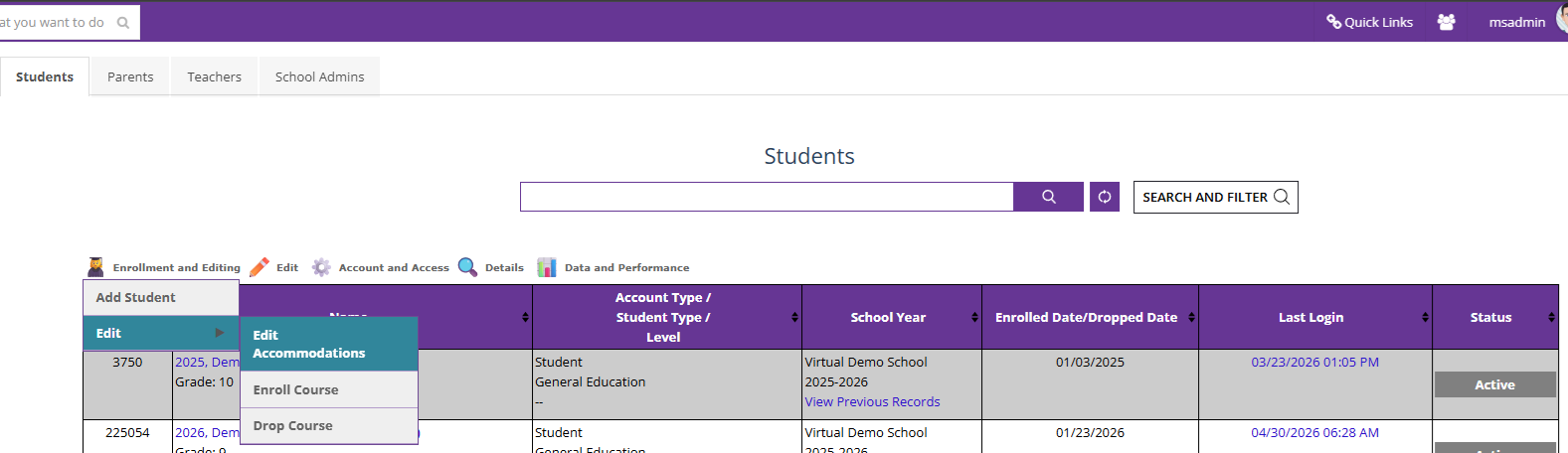
1. Search for the correct student under "Manage Students," and under "Enrollment and Editing," click on "Edit Accommodations"
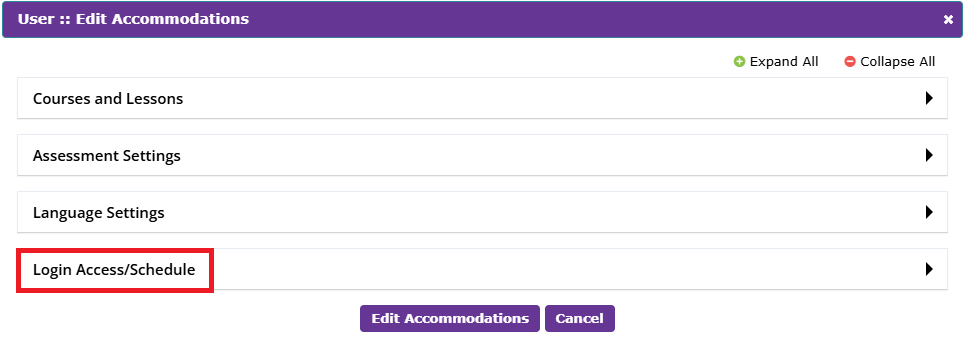
2. In the pop-up that appears, click on "Login Access/Schedule"
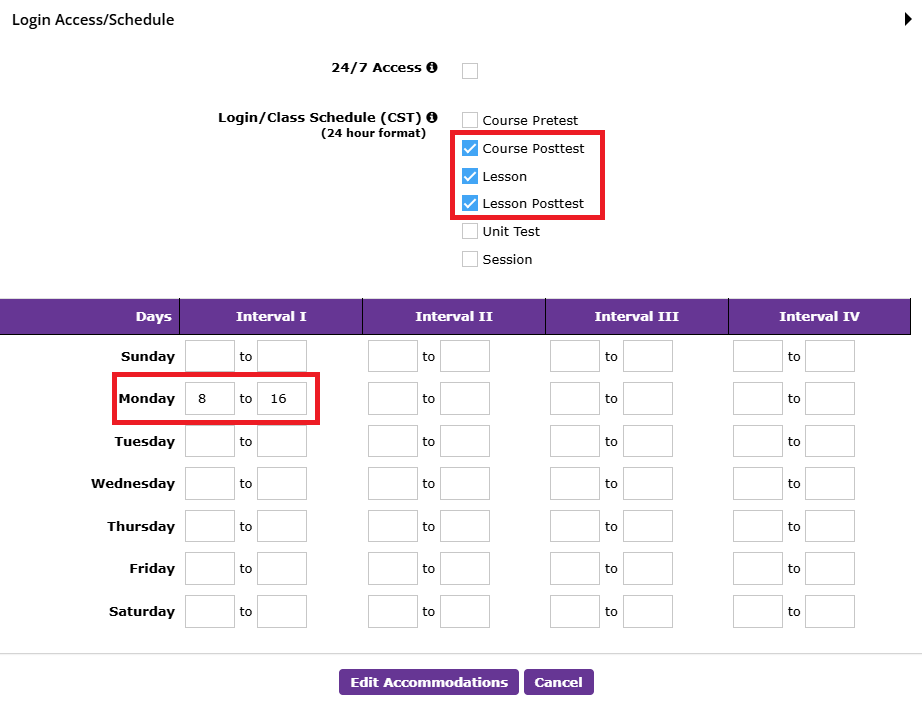
3. Click on the activities for which the access must be restricted, add the scheduled time, and click on "Edit Accommodations"
Was this article helpful?
That’s Great!
Thank you for your feedback
Sorry! We couldn't be helpful
Thank you for your feedback
Feedback sent
We appreciate your effort and will try to fix the article