This guide will help educators access and preview courses from both the student and educator perspectives.
Steps to Access and Preview a Course
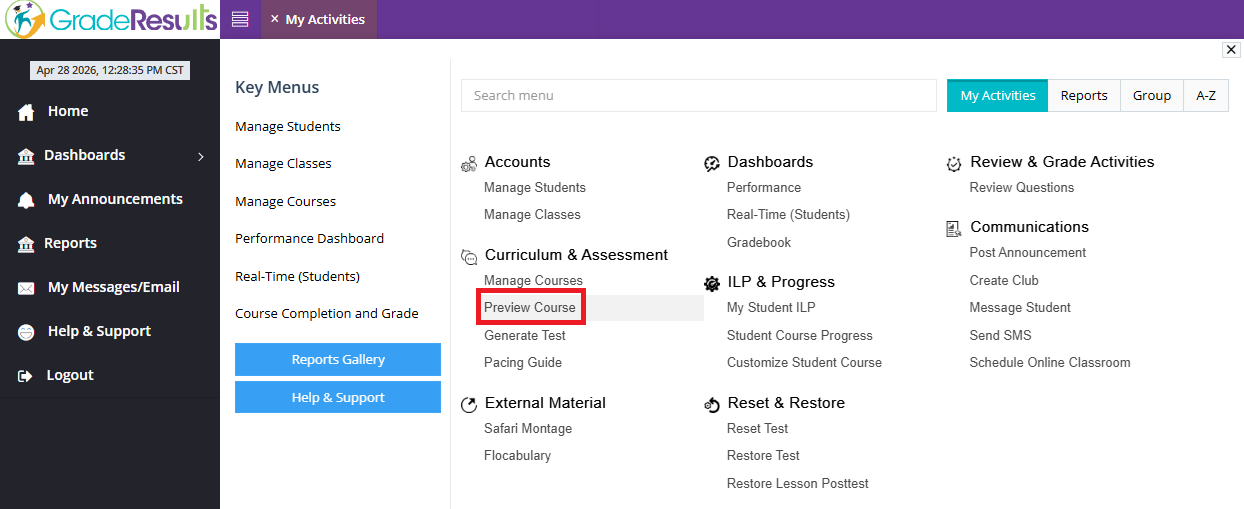
Navigate to:
- My Activities
- Select Curriculum & Assessment
- Click on Preview Course
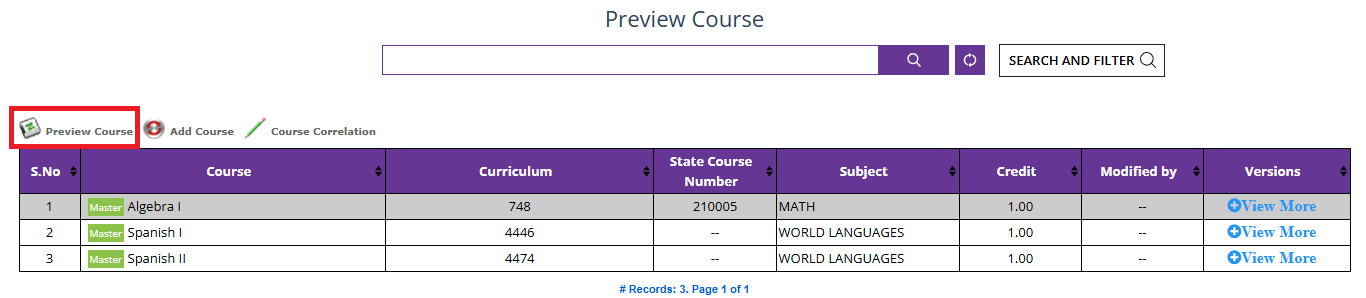
- Locate the course you want to view.
- Highlight the course and click on “Preview Course”
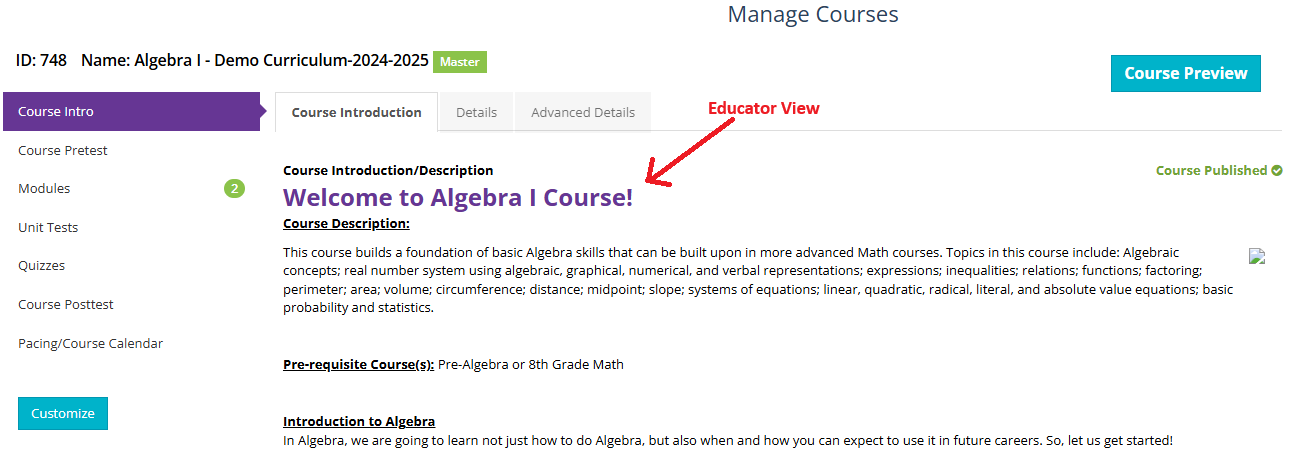
You will see two viewing options:
Course Preview
→ Displays the course exactly as students see it.
Educator View
→ Allows you to explore modules, unit tests, and other course components from an instructor’s perspective.
Tips
- Use Course Preview to understand the student learning experience.
- Use the Educator View to review structure, content organization, and assessments.
Was this article helpful?
That’s Great!
Thank you for your feedback
Sorry! We couldn't be helpful
Thank you for your feedback
Feedback sent
We appreciate your effort and will try to fix the article