GR LearnPro - Creating and Enrolling a New Parent

The Manage Students feature in GR LearnPro allows administrators and educators to efficiently add, manage, and enroll parents.
Adding a New Parent
A parent account will be automatically generated after a student account has been created. Only in extreme cases, a parent account will be created manually. |
1. Go to Manage Students à tab Parents

2. Click on “Add Parent.”
3. A page is displayed to fill the following information:
|
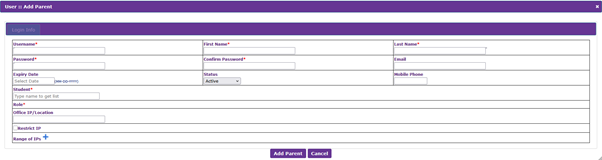
Once all the info is added, click on “Add Parent” at the end
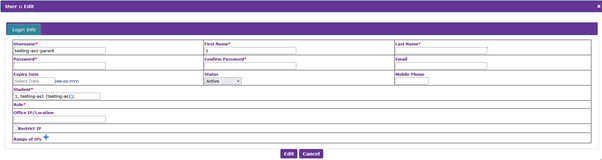
4. To edit or modify a current parent:
- Use the search filter to find the parent
- Click the “Edit” button to edit the parent data page

5. Make the required changes and click on “Edit” at the end of the page
Tips
- When creating a parent account, make sure the username is created as "studentname-parent"
Was this article helpful?
That’s Great!
Thank you for your feedback
Sorry! We couldn't be helpful
Thank you for your feedback
Feedback sent
We appreciate your effort and will try to fix the article