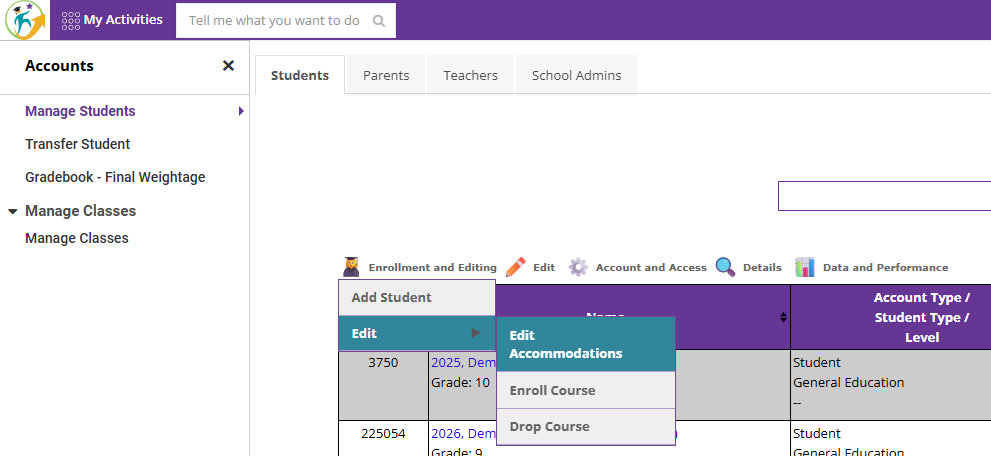
1. Search for the correct student and click on "Edit Accommodations" under "Enrollment and Editing"
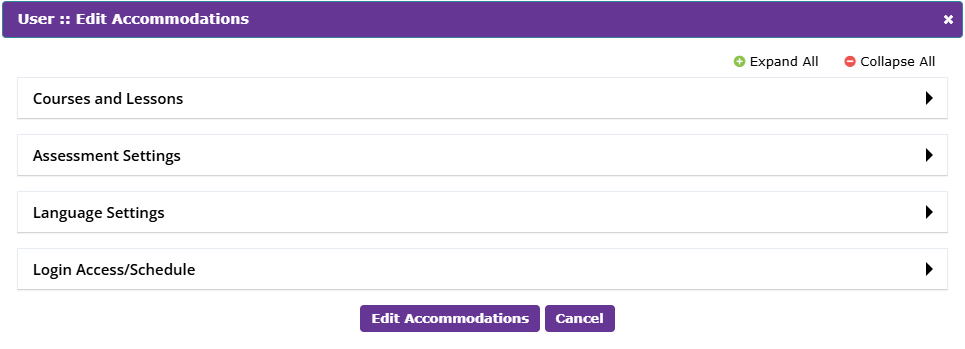
2. All changes that are needed with respect to "Courses and Lessons," "Assessment Settings," "Language Settings," and "Login Access/Schedule" can be done here
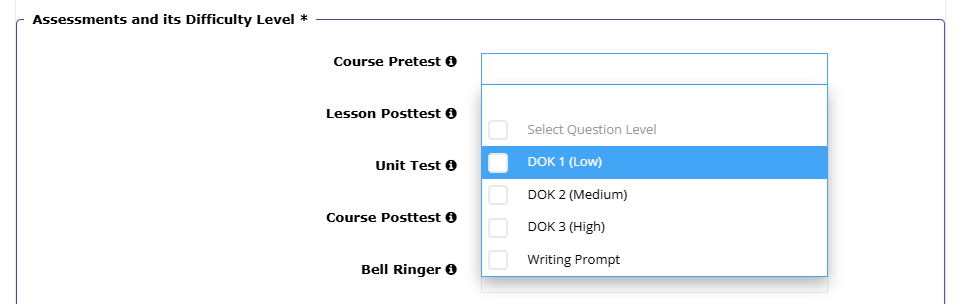
3. To change question level, click on "Assessment Settings" and select the required DOK level of the questions
Was this article helpful?
That’s Great!
Thank you for your feedback
Sorry! We couldn't be helpful
Thank you for your feedback
Feedback sent
We appreciate your effort and will try to fix the article