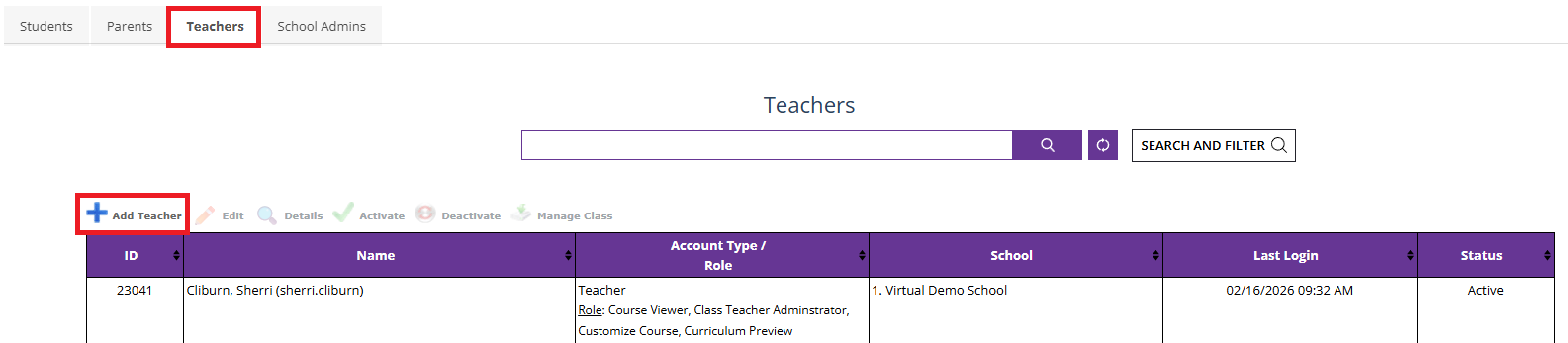
1. Go to "My Activities," click on "Manage Students," and under the "Teachers" tab, click on "Add Teacher"
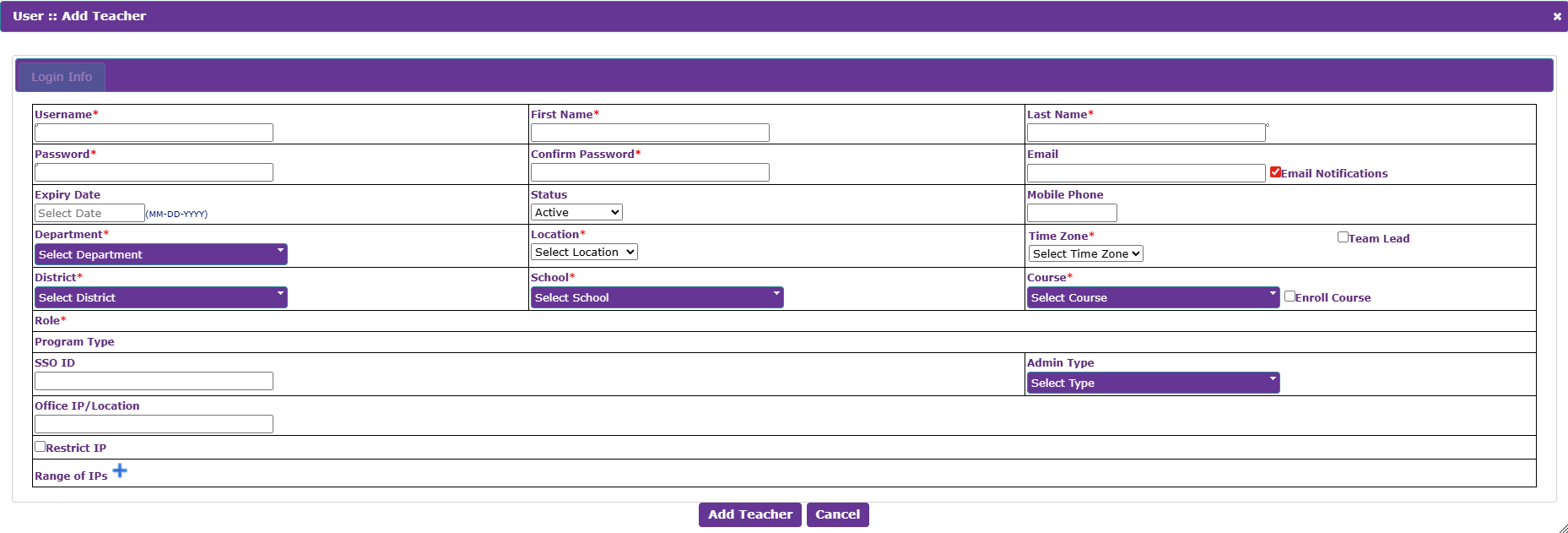
2. Enter the required details and click on "Add Teacher" to add the teacher to the system
Was this article helpful?
That’s Great!
Thank you for your feedback
Sorry! We couldn't be helpful
Thank you for your feedback
Feedback sent
We appreciate your effort and will try to fix the article