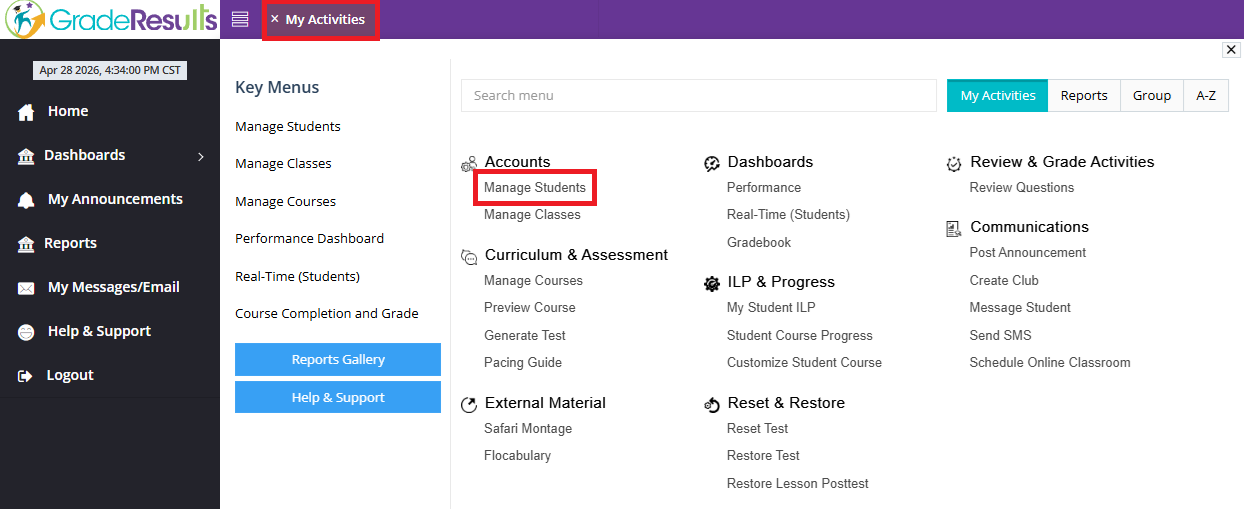
1. Go to "My Activities" and click on "Manage Accounts"
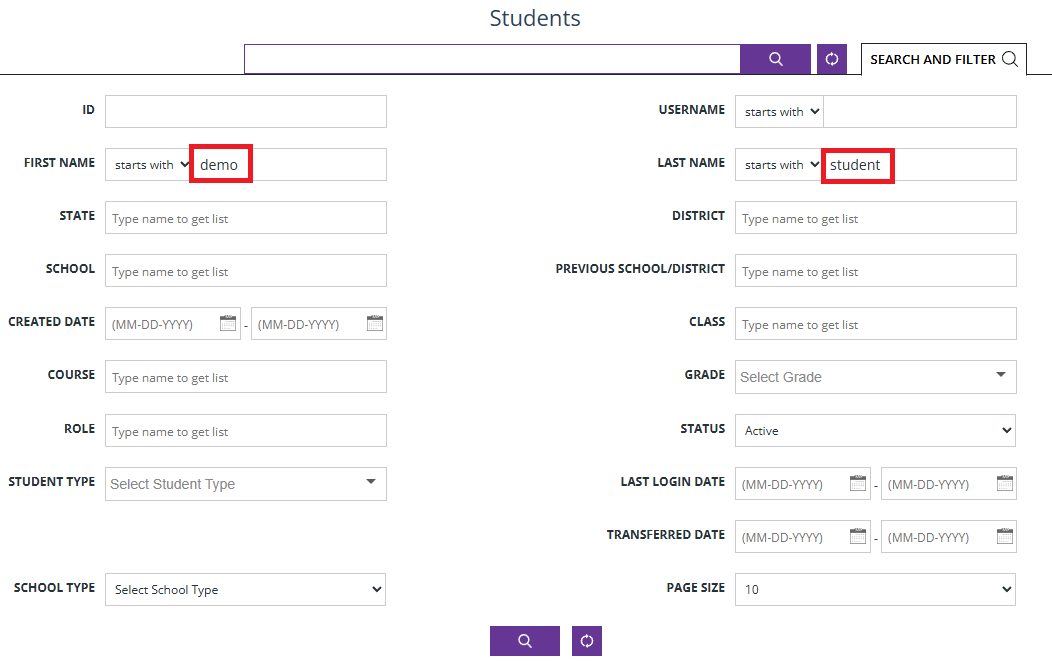
2. Enter the student's name in the "Search and Filter" fields
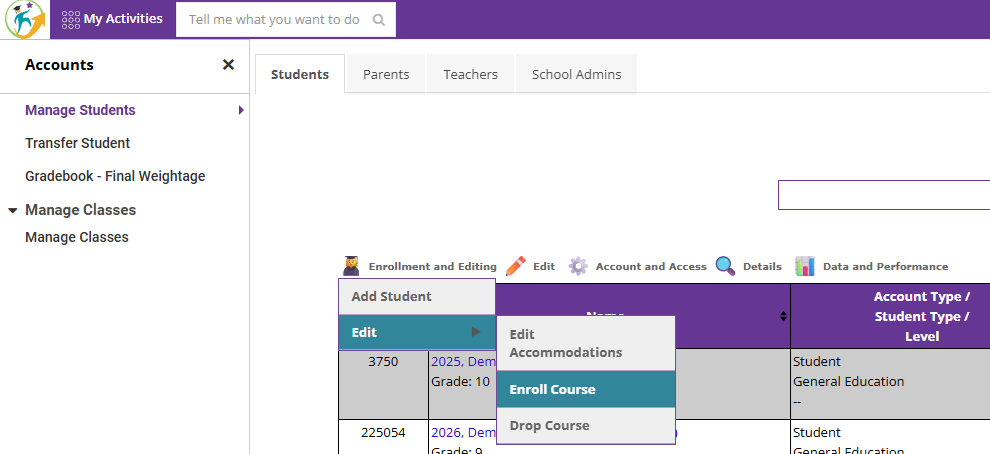
3. Highlight the student, and under "Enrollment and Editing," click on "Enroll Course"
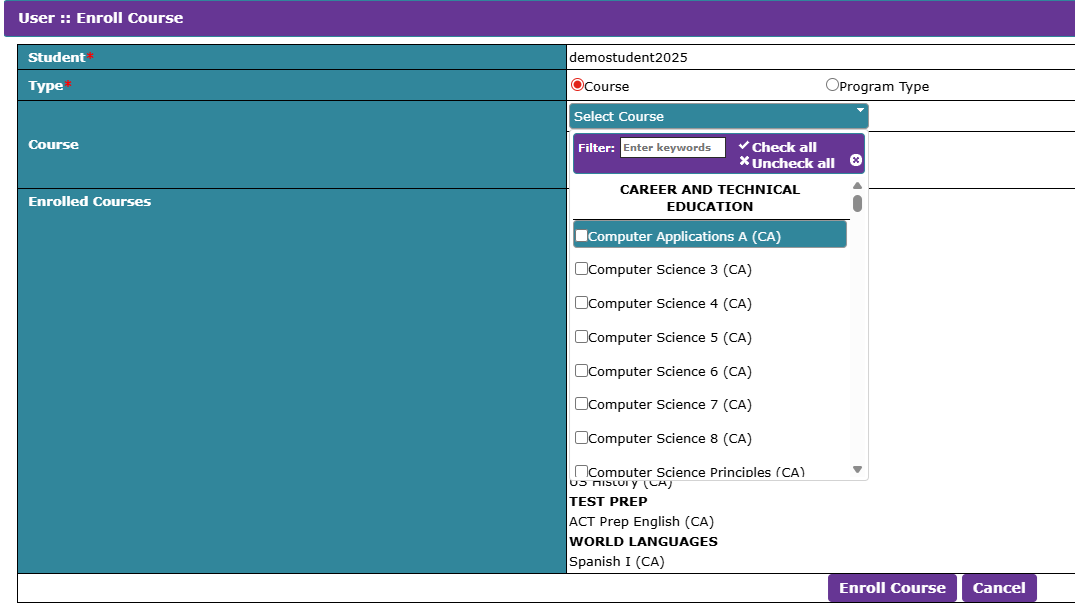
4. Click on "Select Course," search for the correct course, and click on "Enroll Course"
Was this article helpful?
That’s Great!
Thank you for your feedback
Sorry! We couldn't be helpful
Thank you for your feedback
Feedback sent
We appreciate your effort and will try to fix the article