The Remove Lessons/Standards feature helps customize a course for the student to enable faster completion.
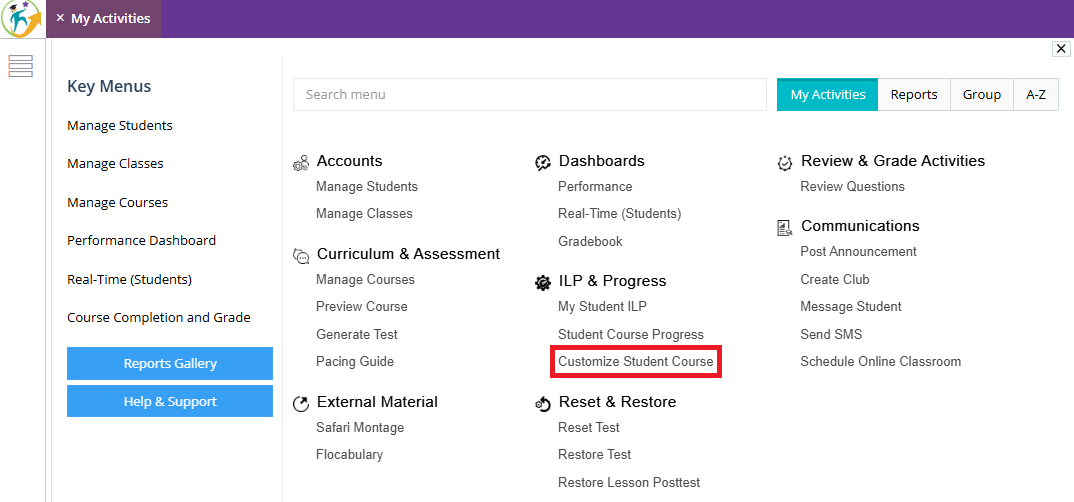
1. Go to "My Activities" and click on "Customize Student Course" under ILP & Progress.
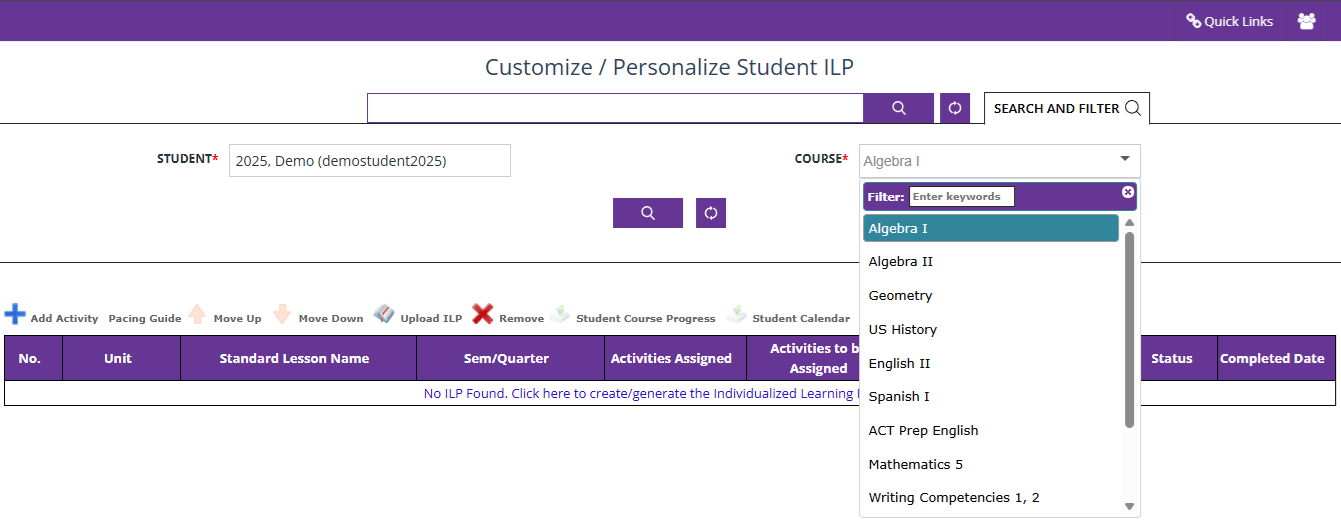
2. Search for the correct student and the respective course.
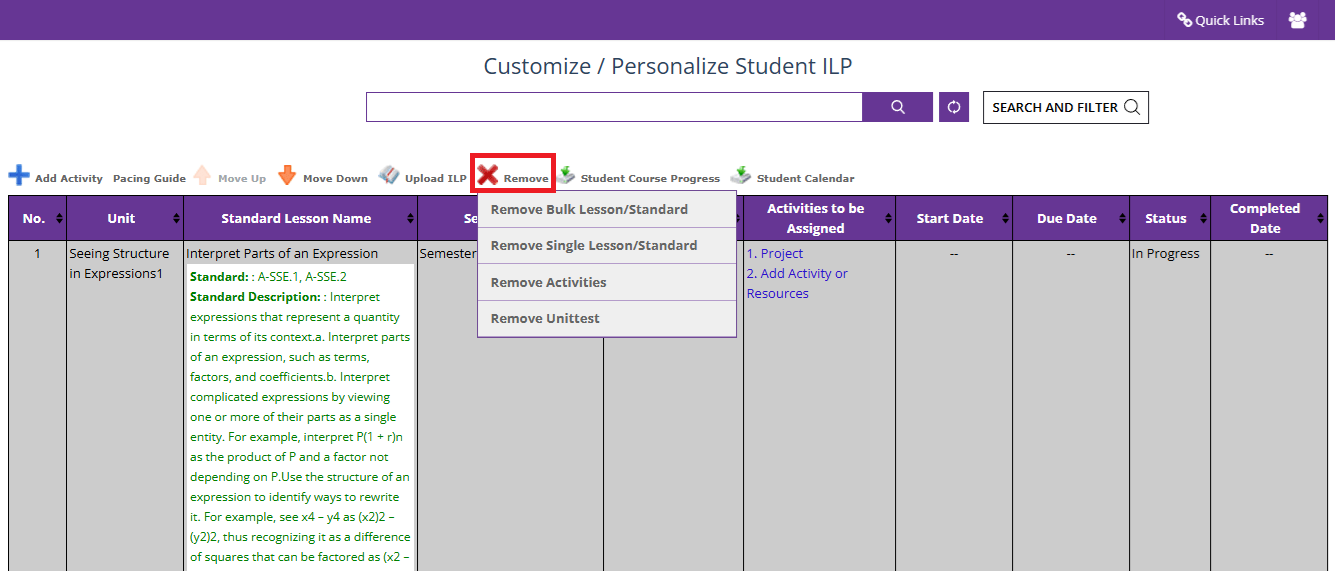
3. After the lessons of the course are listed, click on the first lesson, and then mouse-over "Remove"
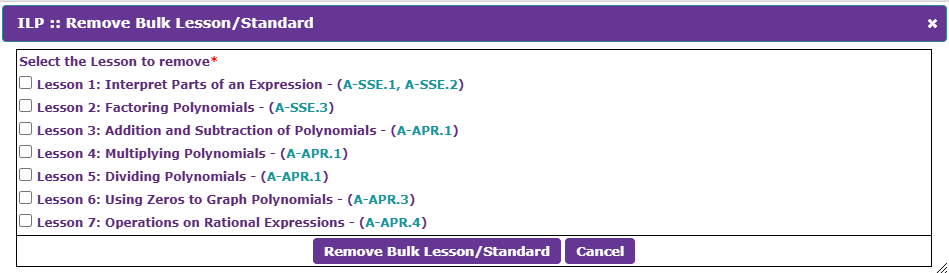
4. Use the "Remove Bulk Lesson/Standard" to remove the unwanted lessons.
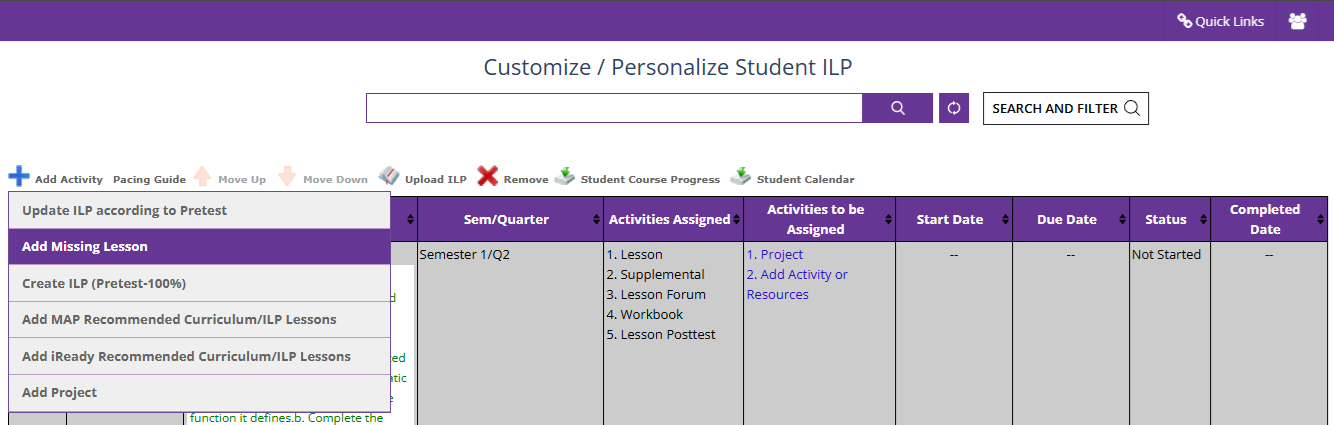
5. If any extra lesson is removed, under "Add Activity," click on "Add Missing Lessons" and add the lesson back to the course.
Was this article helpful?
That’s Great!
Thank you for your feedback
Sorry! We couldn't be helpful
Thank you for your feedback
Feedback sent
We appreciate your effort and will try to fix the article