The post announcement feature helps admins and teachers post announcements regarding new features, schedules, messages, and notifications.
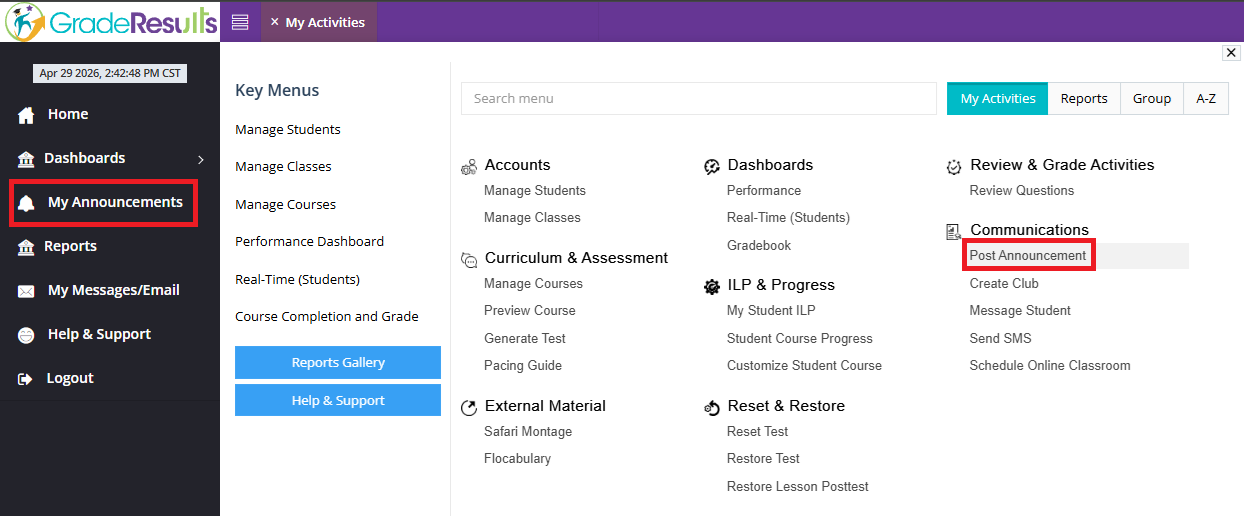
1. Click "My Announcement" on the dashboard, or go to "Post Announcement" under "Communications" in My Activities
2. Click on "Add"

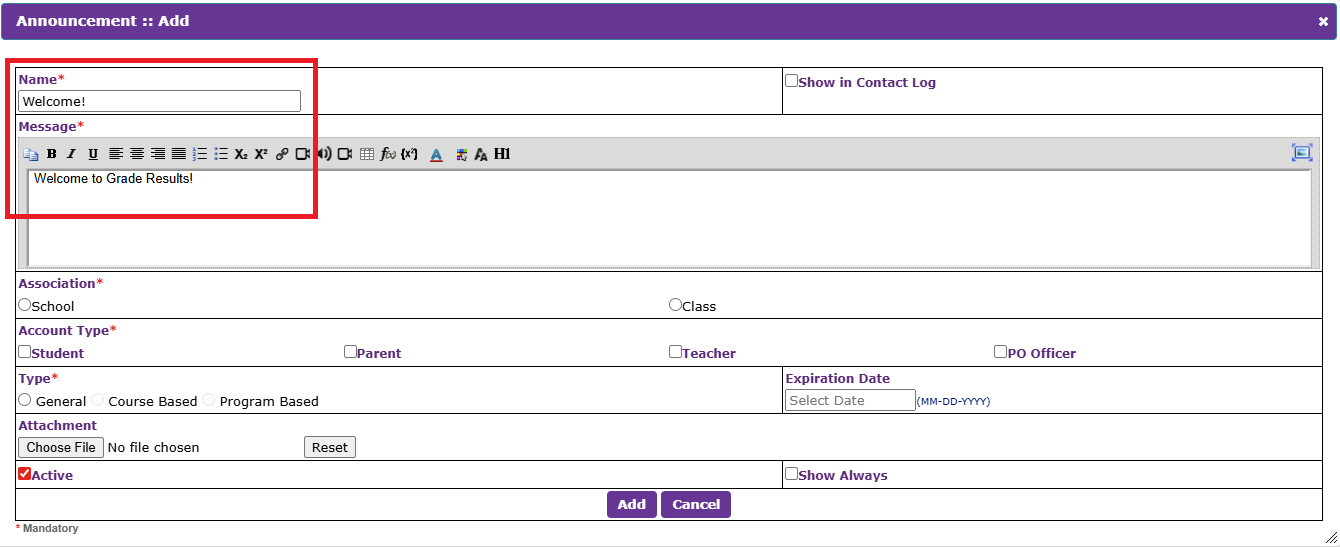
3. In the pop-up, add the title and the message to be announced
4. Select the Association, Account Type, and the Message Type
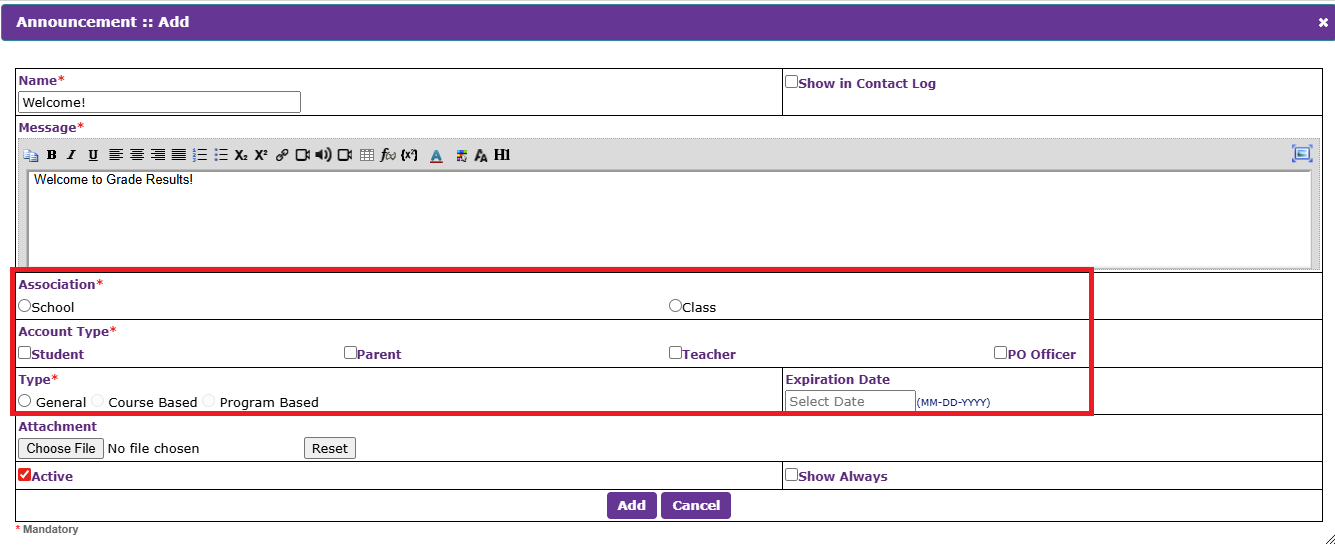
5. Click "Add" to post the message
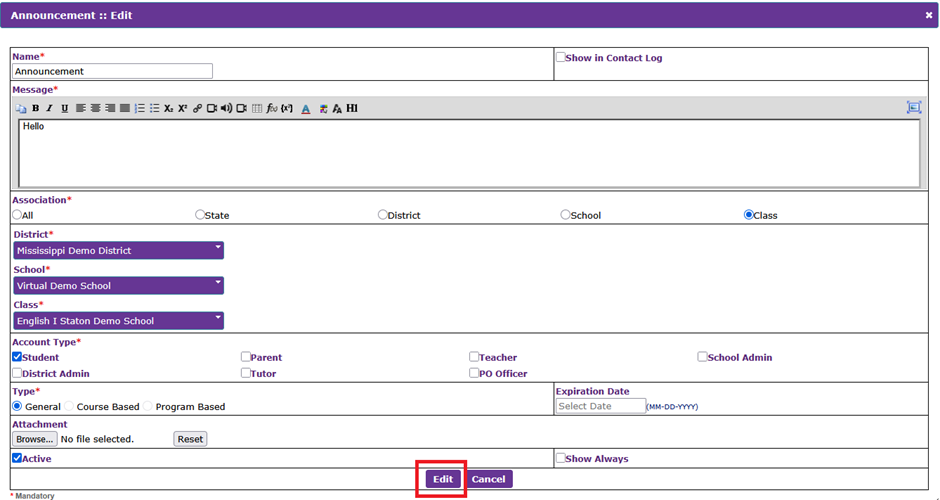
6. If the already published message is to be modified, click on the message and click on "Edit"

7. Once the modifications are done, click on "Edit"
Was this article helpful?
That’s Great!
Thank you for your feedback
Sorry! We couldn't be helpful
Thank you for your feedback
Feedback sent
We appreciate your effort and will try to fix the article